Pinterest is for finding ideas. This is for deciding.
Wedding mood board for every function
Put everything you've saved for the Haldi, Mehendi, Sangeet and wedding in one place. Mark exactly what you love, and the board finds your colours. Then send your decorator a brief they can act on, and your guests a card that answers “what do we wear?”. Free on your phone, with no sign-up.
Opens with a sample board. Your board saves in this browser on your phone, not to an account, so clearing your browser history deletes it. Keep a backup file from Send.
How do I make a wedding mood board?
Collect pictures for one function at a time, mark the ones you love and the exact parts you mean, and keep the colours that keep coming up. On this mood board maker, you add your screenshots, tap which function each is for, tap a heart and pin notes on the photo. It sorts the board by function, names your colour palette, and turns it into a brief for your decorator and a dress-code card for your guests.
Two things a family actually needs to send
A brief for your decorator
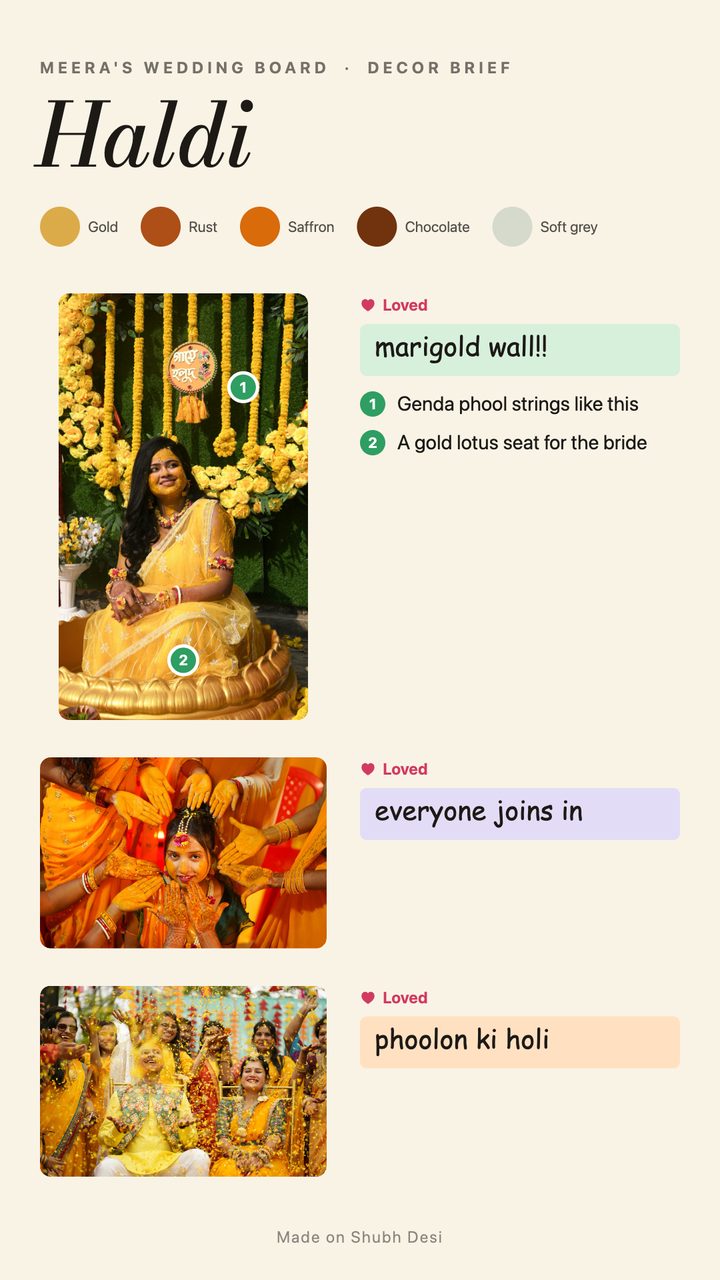
Every photo you loved, shown whole, with numbered pins on the exact spots and your note for each: “1. genda phool strings like this”, “2. a gold lotus seat for the bride”. The colour names go on top, combinations you love together go below, and the ones you don't want are crossed out. It replaces three video calls and a long voice note.
A what-to-wear card for your guests
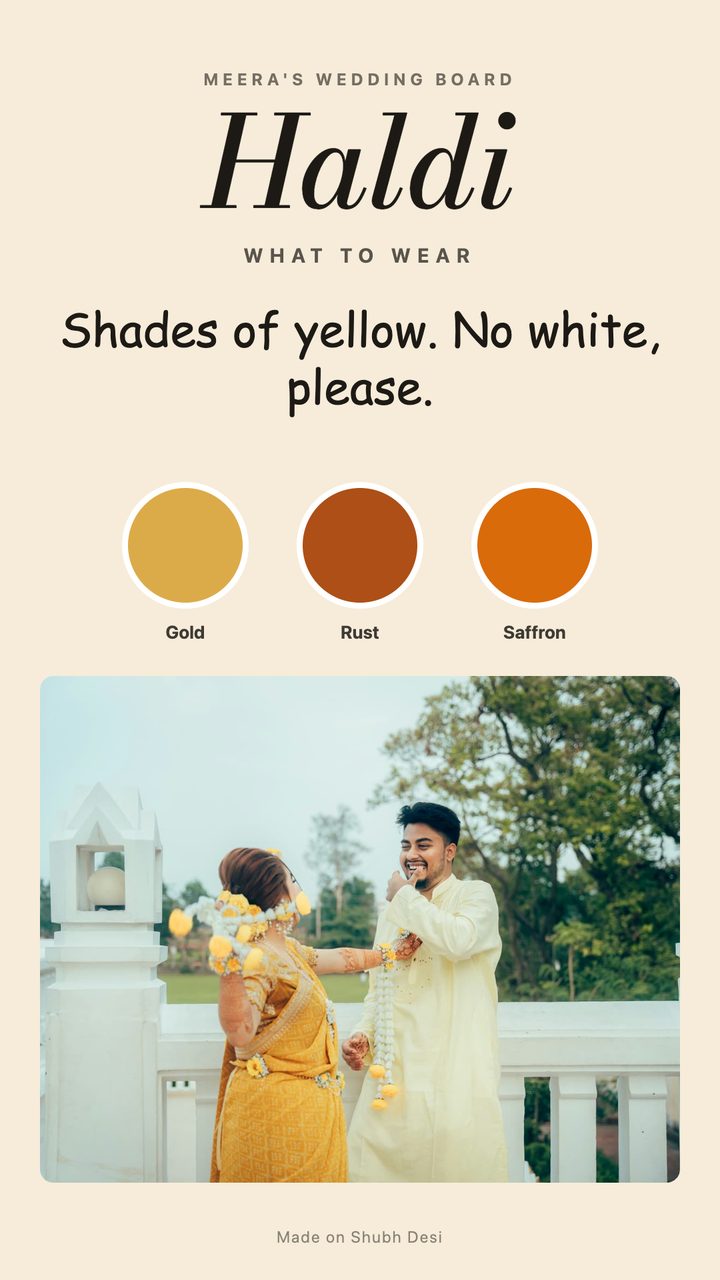
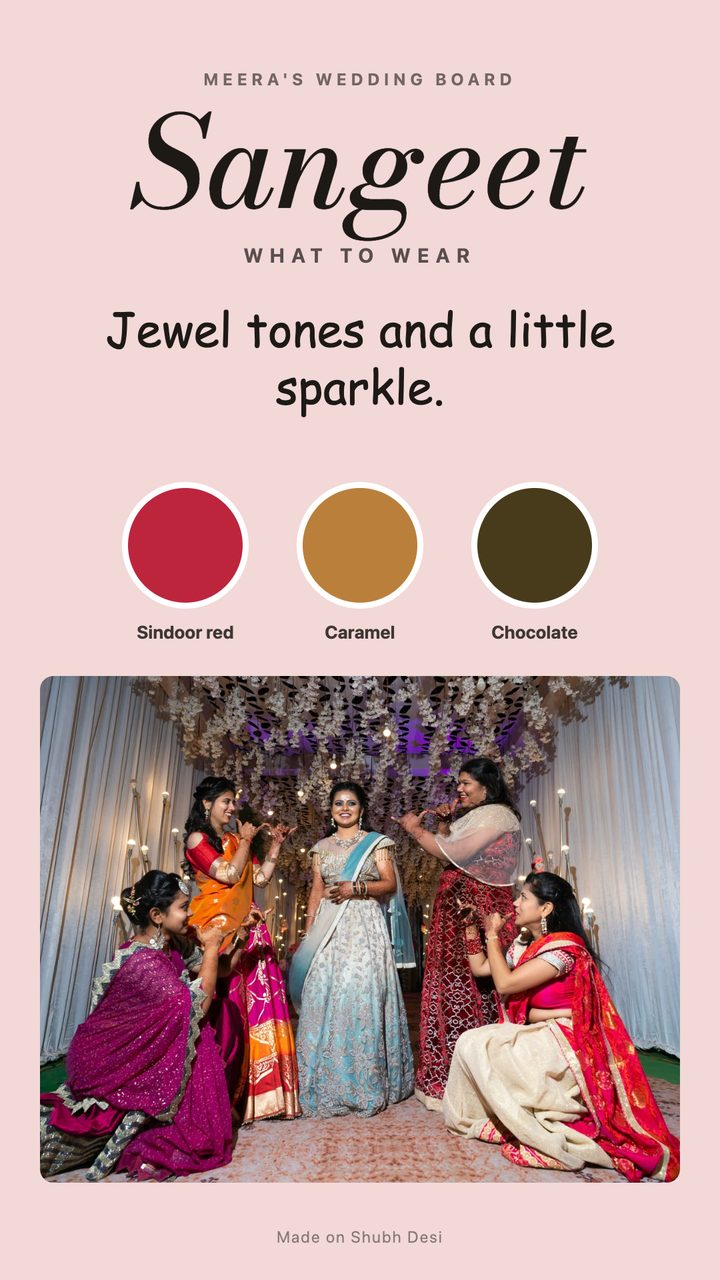
The function, the dress code in one line, the colours to wear with their names, and an example outfit. Send it to the family group with the invite and stop answering “what do we wear for the Haldi?” one person at a time.
You can also share a poster of any function's mood board, an outfit brief for the tailor, or your whole board as a PDF.
Three steps
Add what you've saved
Add screenshots and photos for one function at a time: Pinterest pins, Instagram posts, the decorator's own photos on WhatsApp, or a frame from a reel. Say which function each is for and whether it's decor, an outfit, flowers or a detail.
Mark what you love
Tap the heart on the ones you want. Tap a photo right on the part you mean to pin a note there: “these flowers”, “this backdrop”, “not this colour”. The board reads the colours from your photos and names them.
Send it
Send the decorator brief to your decorator and the what-to-wear card to your guests, as a PDF or pictures on WhatsApp. Nobody needs an app to open them.
Why not just use Pinterest?
Keep using it to find ideas. A Pinterest board is good at collecting and bad at deciding: after a few weeks it holds hundreds of pins, and none of them says which part you liked or what you want built. This picks up where Pinterest stops.
| Pinterest board | This mood board | |
|---|---|---|
| Finding new ideas | Excellent | Not what it's for |
| Instagram screenshots and the decorator's WhatsApp photos | Upload one pin at a time | Add them all at once |
| Sorted by function | Board sections, by hand | Asked as you add |
| Point at the exact part you love | A note on the whole pin | Numbered pins on the photo |
| Your colours | You work them out | Read from your photos and named |
| Telling the decorator | Send a link to the board | A numbered brief as a PDF |
| Telling guests what to wear | No | A card per function |
| Account | Needed | Not needed |
Colour ideas for each function
Common starting points, not rules. Your own board will find your palette from the photos you love; these are here if you're starting from nothing.
Haldi
Haldi yellow, marigold and white. Marigold strings, low seating and a lot of yellow. Many families ask guests not to wear white, because of the turmeric.
Mehendi
Parrot green, rani pink and orange. Bright prints, floor cushions and parasols. Greens and florals are the usual dress code.
Sangeet
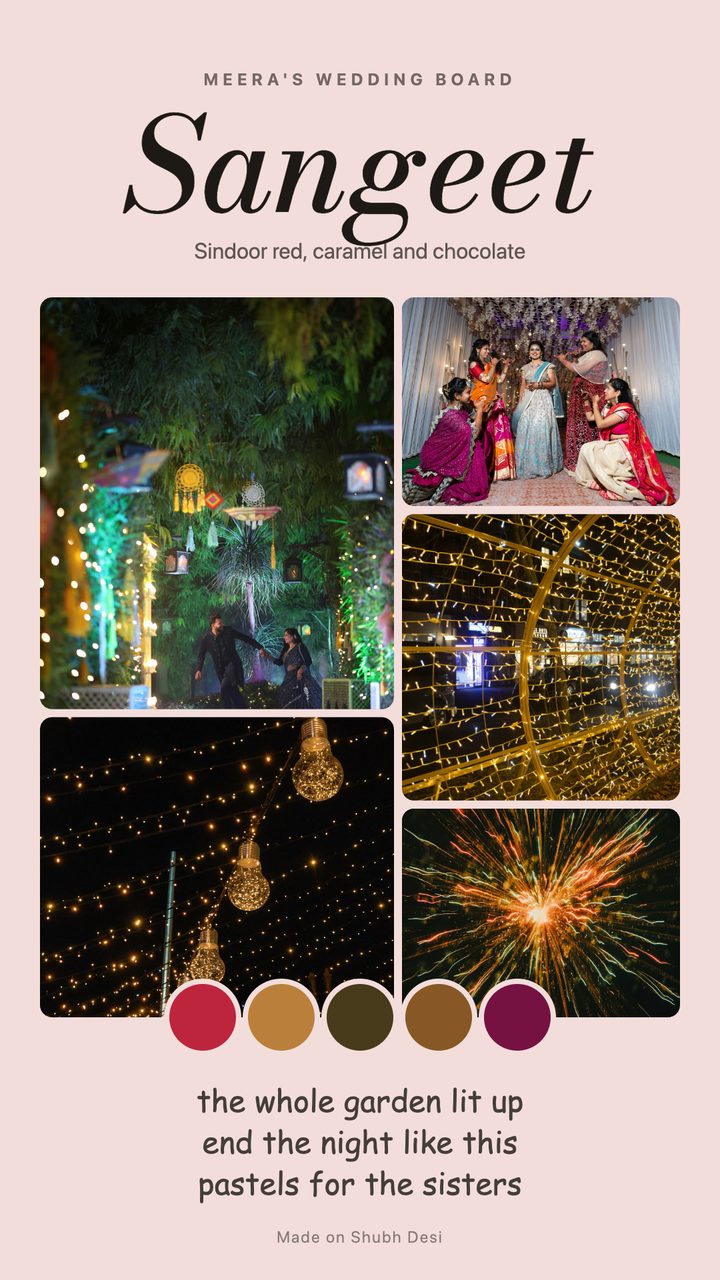
Jamun purple, magenta and gold. An evening function, so fairy lights and a stage. Jewel tones, sparkle or Indo-western for guests.
Wedding
Sindoor red, gold and ivory. The classic, though pastel weddings in peach, ivory and blush are common now.
Reception
Navy, antique gold and pearl white. Often the most formal: suits, sarees and gowns, with fewer rules on colour.
Each function's page has more dress code ideas and wording for the invite: Haldi, Mehendi, Sangeet and Reception.
What to put in a brief for your wedding decorator
- One brief per function. The Haldi and the reception are different jobs, often on different days and in different places.
- The exact part, not the whole photo. “This backdrop” with a pin on it is clearer than a photo and “like this”.
- Your colours by name. “Marigold and white, no pink” settles more than a mood.
- Real or artificial flowers, and which flowers. It changes the price more than almost anything else.
- What you don't want. One crossed-out photo saves a whole round of changes.
- Things you love together. A backdrop from one photo with the flower strings from another.
- A photo of the venue, so the decorator can say what will and won't fit.
The brief the board makes covers the first six. Add a photo of your venue to the board and it goes in too.
Private by default
Your board lives on your phone, inside your browser, and nothing is uploaded: not your photos, not your notes. You choose what to send and who gets it. There's no account to lose and no one else can open your board.
Questions people ask
Is the wedding mood board free?
Yes. Making a board, the decorator brief, the what-to-wear card, the poster and the PDF of your whole board are all free, with no watermark and no ads.
Do I need an account?
No. Your board saves in your browser on your own phone as you go, not to an account, so you can close it and come back later. Clearing your browser history or site data deletes it, and so does opening it in another browser, so save a backup file from Send now and then.
Can I use screenshots from Pinterest and Instagram?
Yes. Add the screenshots you've saved for your own planning. The board trims the app's bars off screenshots, spots the same picture added twice, and asks which function each one is for.
Does my decorator need to download anything?
No. The brief is a PDF or a set of pictures you send on WhatsApp. Each photo shows numbered pins and the note for each pin next to it, so the decorator knows exactly which part you mean.
Can I add reels?
Yes. Add a saved reel or a screen recording, play it to the moment you like and keep that frame. You can keep several frames from one video.
Is it AI? Does it change my photos?
No. It doesn't generate or edit pictures. It reads the main colours from your photos with simple maths on your phone, and everything else is what you mark.
Where are my photos stored?
Only on your phone, inside your browser. Nothing is uploaded. Use “A backup file” in Send to keep a copy or to move your board to another phone.
Can the bride and groom both make one?
Yes. Each person makes their own board on their own phone and sends the parts they want to the other, to family, or to the decorator.
Can I still use Pinterest?
Yes, and you should. Pinterest is the best place to find ideas. This is for the step after: picking from what you saved, and telling people clearly.
Then make the invite: the same functions, the same colours.
Sample photos from Unsplash, by Abhishek Sharma, Ajoy Das, Alok Verma, Amish Thakkar, Antony Hyson Seltran, Anubhav Event Productions, Arto Suraj, Bella Pon Fruitsia, Ghost Rider, Ikshana Productions, Love Arya, Mehedi Hasan, Mohammed Sultan Farooqui, Mohit Maru, Nihal Prabhudesai, Pranav Kumar Jain, Ricardo Gomez Angel, Sabesh Photography Ltd, Sangram Rakate, Sean Williams D, T, Vidit Goswami, Yana Lysenko.